
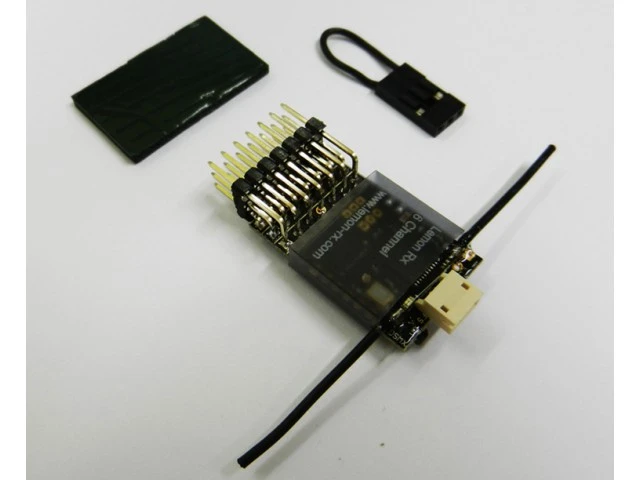
Lemon Rx DSMX Compatible 6-Channel Receiver
Original price was: $14.99.$10.49Current price is: $10.49.
- Streamlined service, designed for your convenience.
- Safe Payments, the Smart Choice
- 7 days free returns
- Safe Payments for a Better Shopping Experience

Specification
RCgroups discussion
http://www.rcgroups.com/forums/showthread.php?t=1773138
Complete user manual for download (PDF)
Click to download Lemon Rx User Manual.pdf
Below is the quick online reference manual or additional information about the product. Please download the above pdf for a complete, detailed user manual.
Highlight
– FailSafe for all channels via press of a button
– DSMX Satellite port
Understanding the receiver

Setup Instruction
Binding
1) Plug bind plug to the receiver.
2) Provide power to the unit. LED flashes quickly.
3) Enable bind mode in transmitter and ensure distance separation of 2 meters from receiver. Solid LED light means binding is completed.
4) Remove bind plug.
Failsafe Enable (Video showing 10-Channel receiver)
Video:https://www.youtube.com/watch?v=FyW1v12dv_k
1) Plug bind plug to the receiver.
2) Provide power to the unit.
3) Plug the side pushbutton for memorize current position in Failsafe mode.
4) Green light will turn on at the bottom of the receiver to indicate Failsafe is successfully enabled.
5) Remove bind plug.
Failsafe Disable (Video showing 10-Channel receiver)
Video:https://www.youtube.com/watch?v=xpb1tvBvA2E
1) Rebind the receiver without pressing the side pushbutton will disable the Failsafe mode.
2) Green light off indicates Failsafe disabled.
Be the first to review “Lemon Rx DSMX Compatible 6-Channel Receiver”
Related products

Electronics
Electronics

Electronics

Reviews
There are no reviews yet.